
Appearance
2026 June
3.44.17 29 June 2026
Enhancements
You can now paste your DSC/Signature Image URL in the provided
Format 6field using the Google Drive thumbnail format:https://drive.google.com/thumbnail?id=FILE_IDExample:
https://drive.google.com/thumbnail?id=124qnEew36YpU4gBX240n9mUi1C
Once a valid URL is added, the signature image will automatically appear in the signature section at the bottom of the invoice. Ensure the Google Drive file is shared with "Anyone with the link" so the image can be displayed correctly.
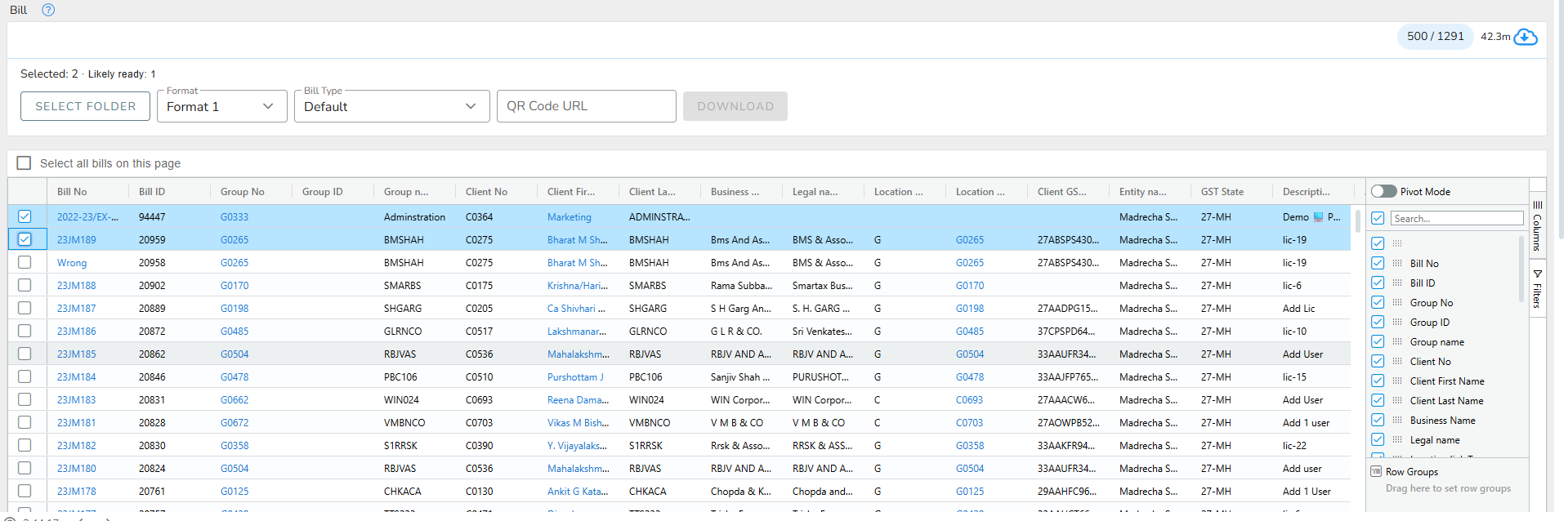
You can now download multiple bills at once.
- Select the required bills using the checkboxes. Select the folder where you want to download the bills and fill other inputs as required.
- (Optional) Enter a QR Code URL if you want to include a QR code in the generated bills.
- Click Download to generate all selected bills in a single download.
3.44.16 22 June 2026
Bug Fixes
- Resolve bug in custom field functionality.
Enhancements
- Add Category column to
Money tab. - Include Partial option in Is Fee Received column filter on
Bill view.
3.44.15 15 June 2026
Bug Fixes
- Improve subtask filtering and search accuracy.
3.44.14 11 June 2026
Enhancements
- Improved the layout and styling of the BillPrint6 component to enhance readability, visual consistency, and overall organization.
- Improved category handling by synchronizing category data across the component and refining conditional validation checks for more accurate processing and consistency.
- Added
client tagsto the profile list.
Feature
- Service deletion functionality is now available in the Data Import module.
3.44.13 04 June 2026
Enhancements
- Added support for
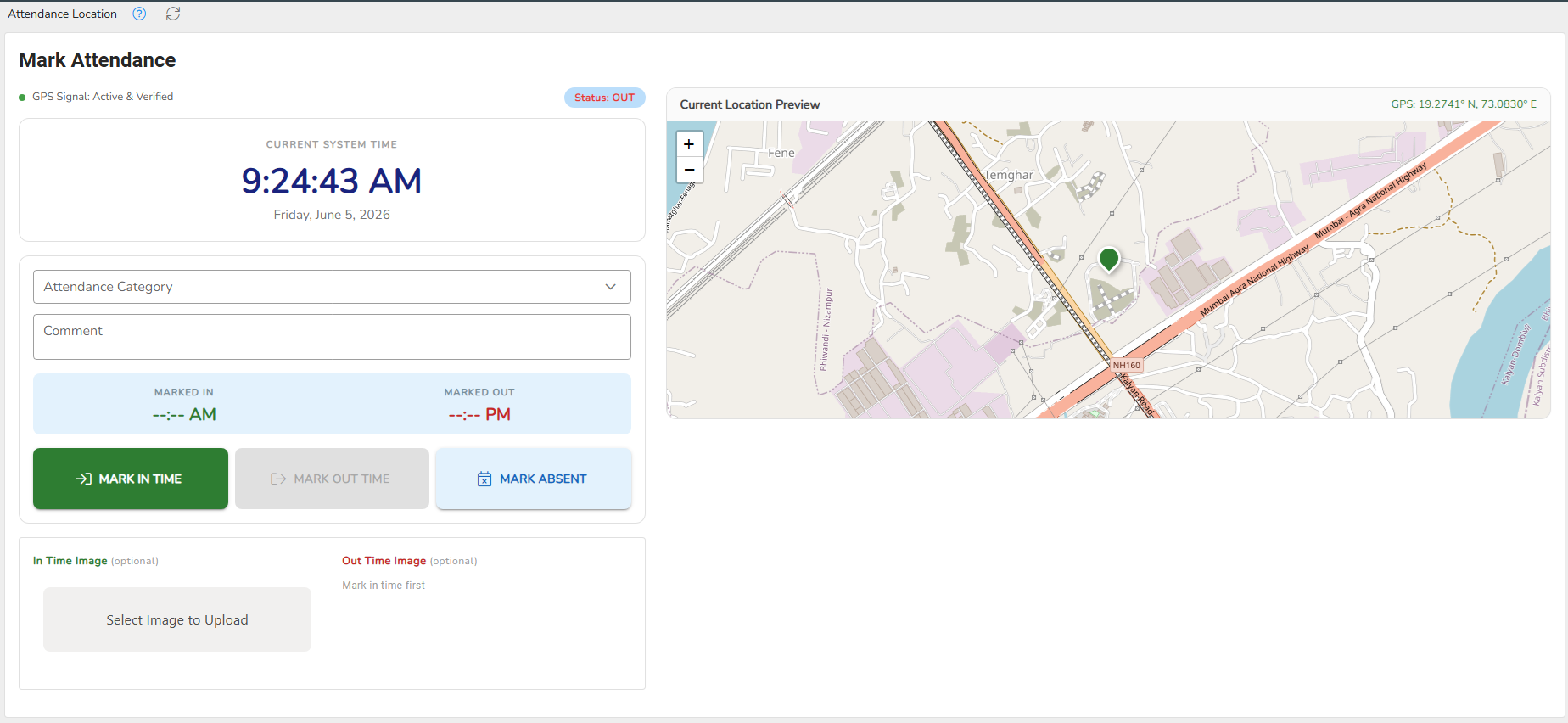
External Bill Numberin the Expense module. - Overhauled the Attendance page with a modernized UI and enhanced user messaging.
3.44.12 01 June 2026
Enhancements
- Added location coordinates to the Attendance Analytics page for improved attendance tracking and verification.
- Enhanced Team Deactivation functionality with an option to replace the member across all assigned workflow steps. The deactivated member will also be automatically removed from Client and Service Default Teams.
Bug Fixes
- Fixed an issue in the Compliance Scheduler where the next creation date was not being generated correctly for monthly compliances.